Case study · via Perficient
MissionSquare
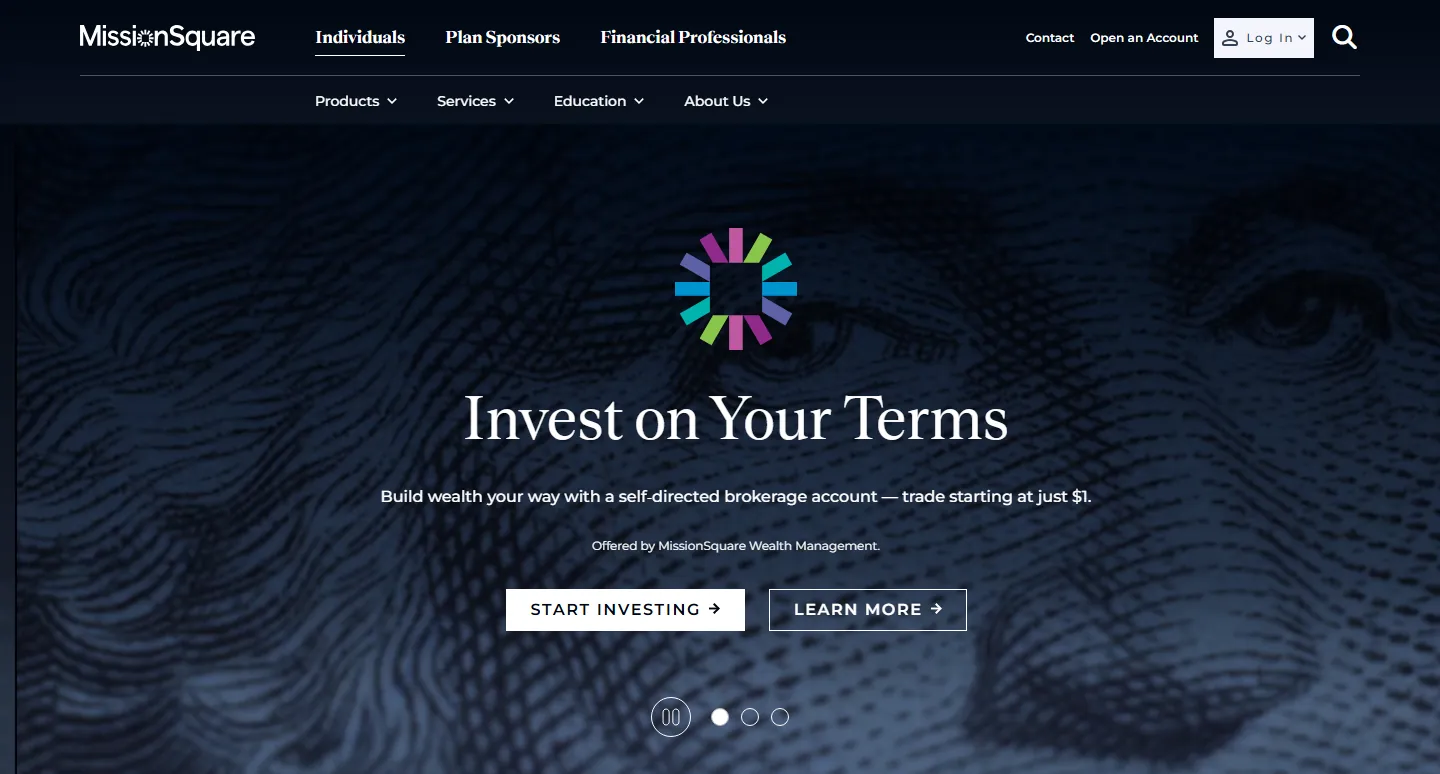
A new website to take a retirement company into broader financial services, for three audiences at once: individuals, plan sponsors and financial professionals.
01 The challenge
MissionSquare was expanding its financial products and wanted to step out of the “retirement only” box. Dropping the word “Retirement” from its logo was part of that shift, and the new website had to push it further.
At the same time, the site serves very different people: individuals saving and investing, the employers who sponsor their plans, and the financial professionals who advise them. Each audience needed a clear path through dense financial content, inside one calm, trustworthy brand.
02 Five directions, one choice
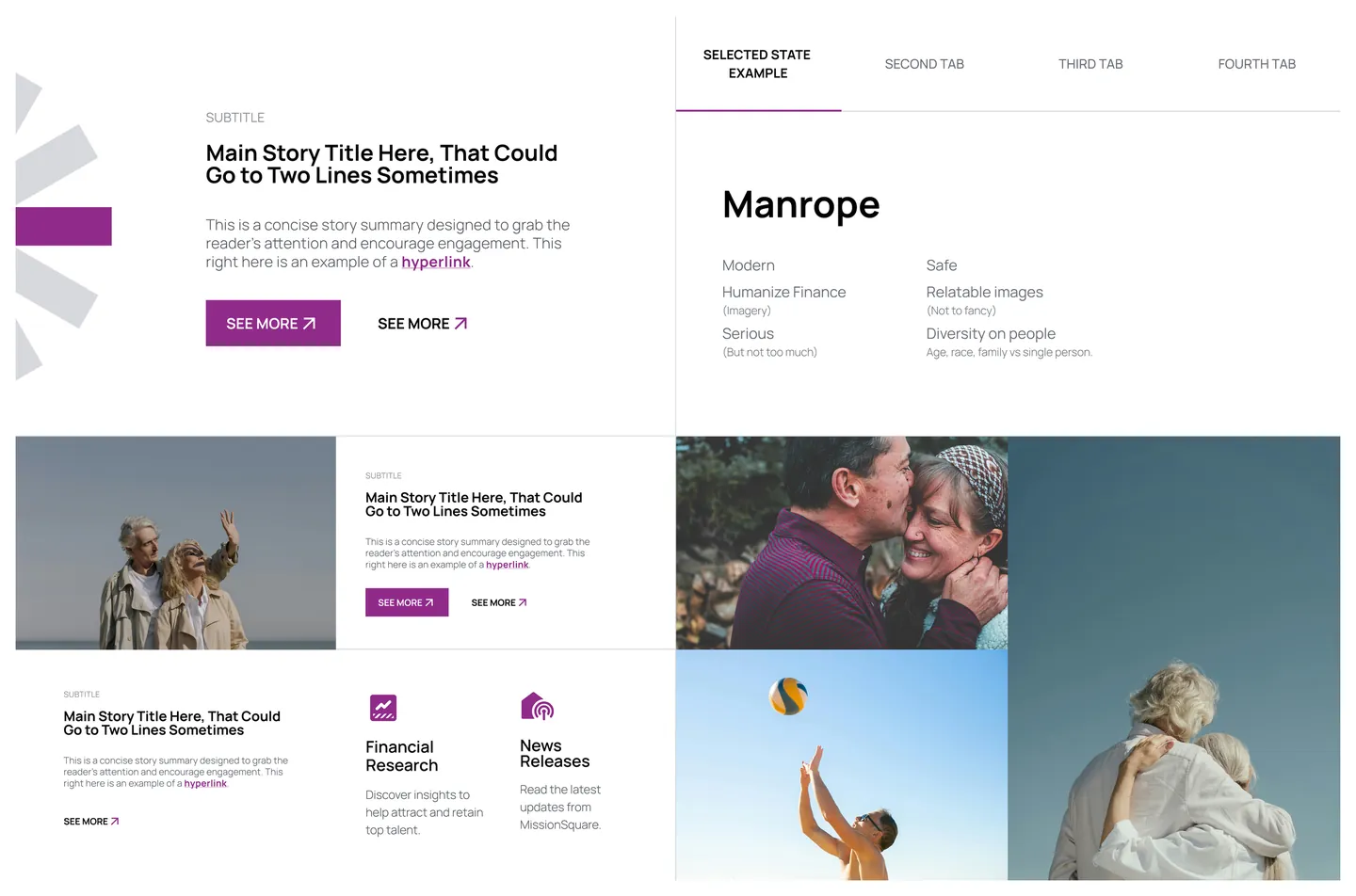
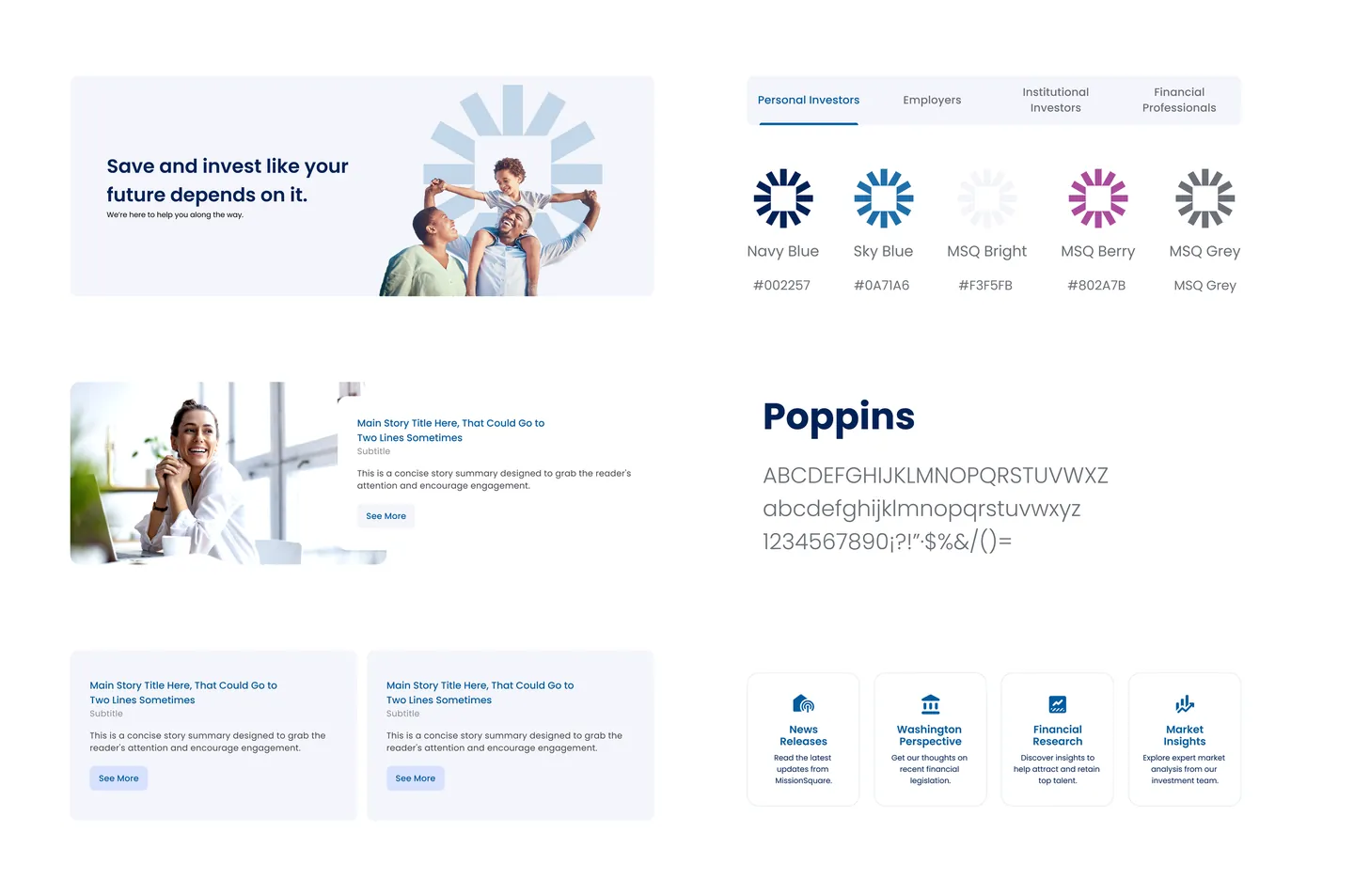
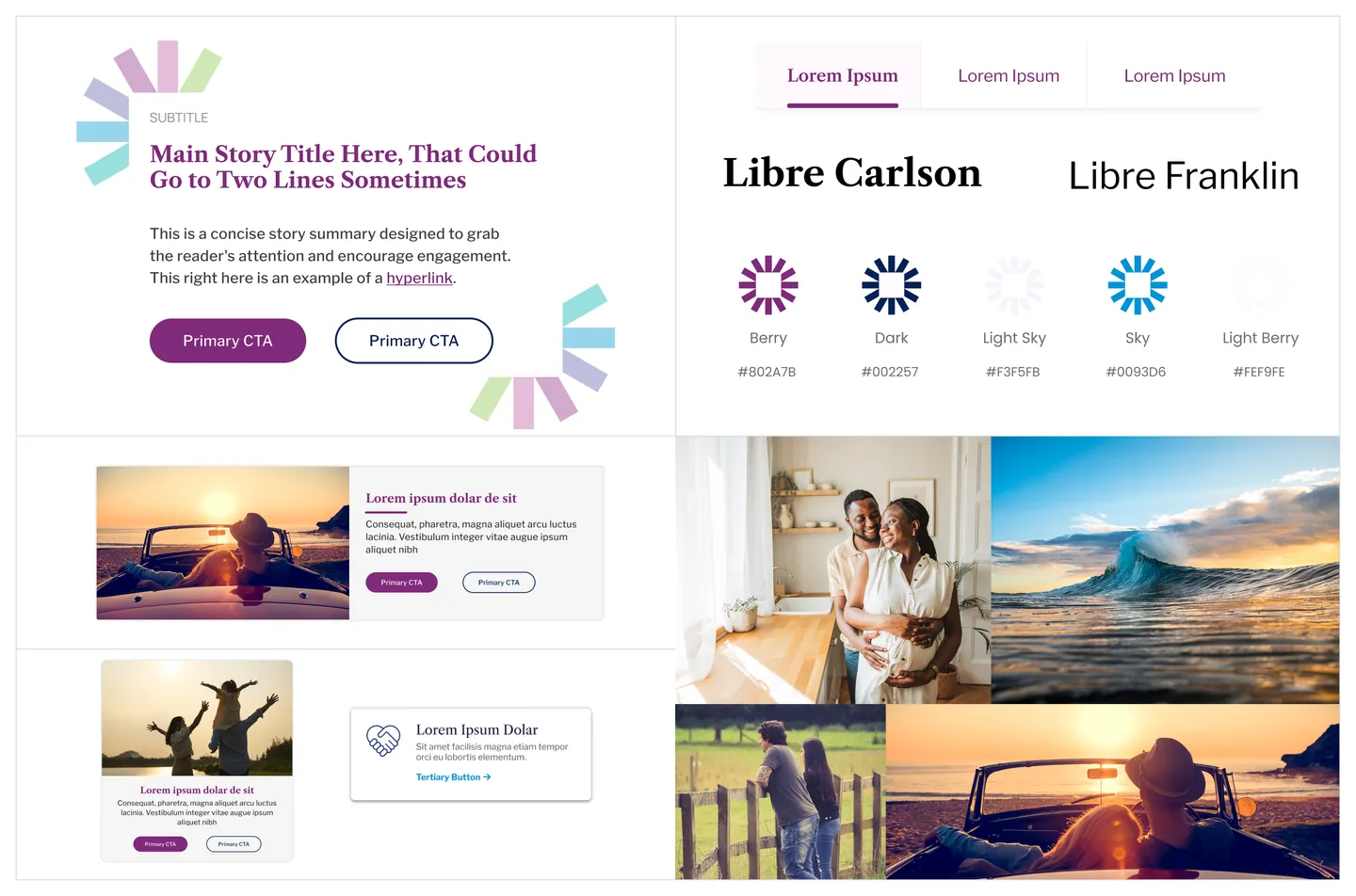
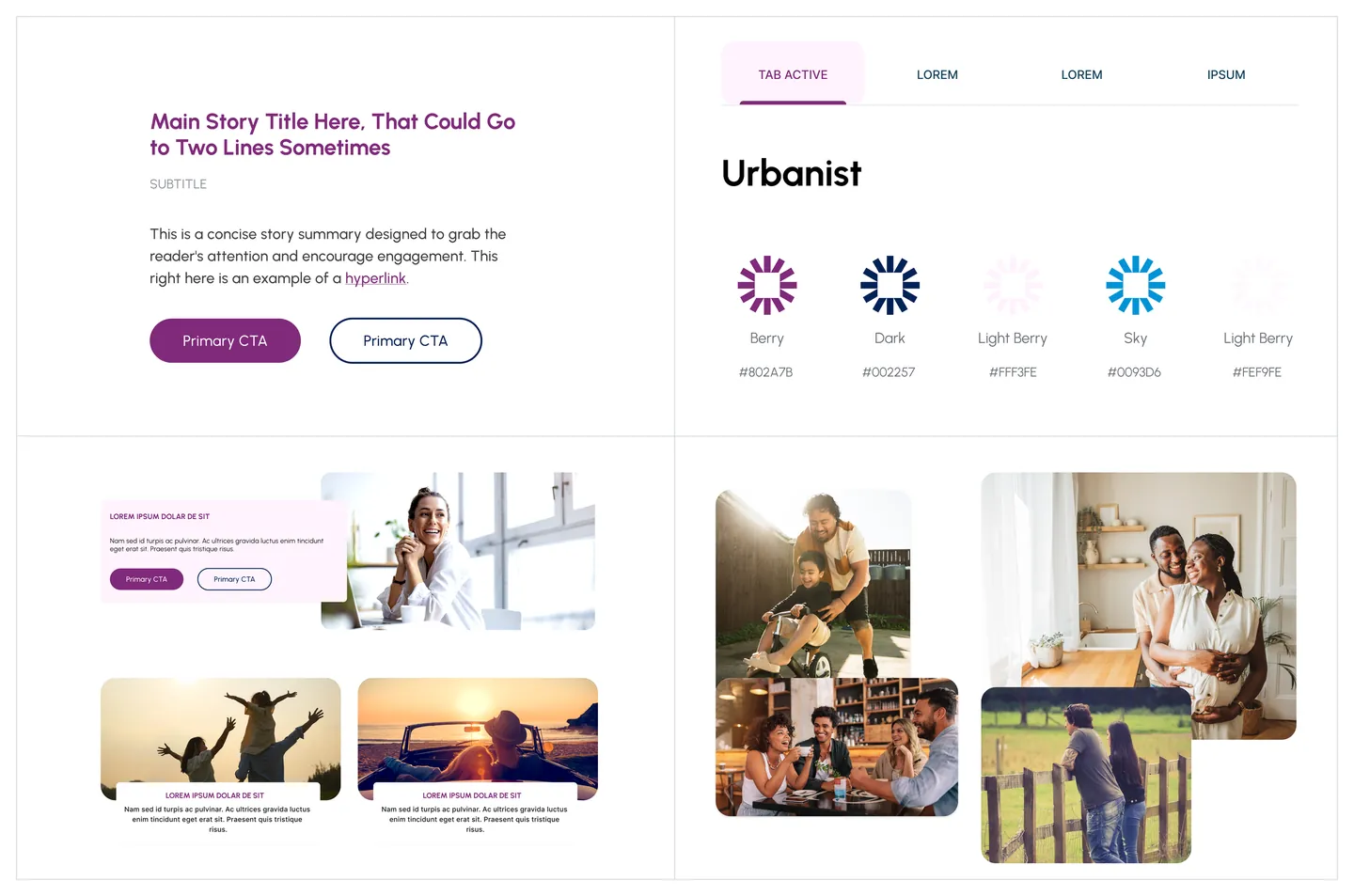
The project ran in phases: UX (before I joined), branding, high-fidelity design, and development. For branding, the design team was two people: Design Director Maat Papp and me. We ran a branding workshop with the client to understand what they wanted, then explored five visual directions as style tiles and presented all five. Three were mine, and I took those further into full homepage concepts; Maat designed Enhance and Uplift.
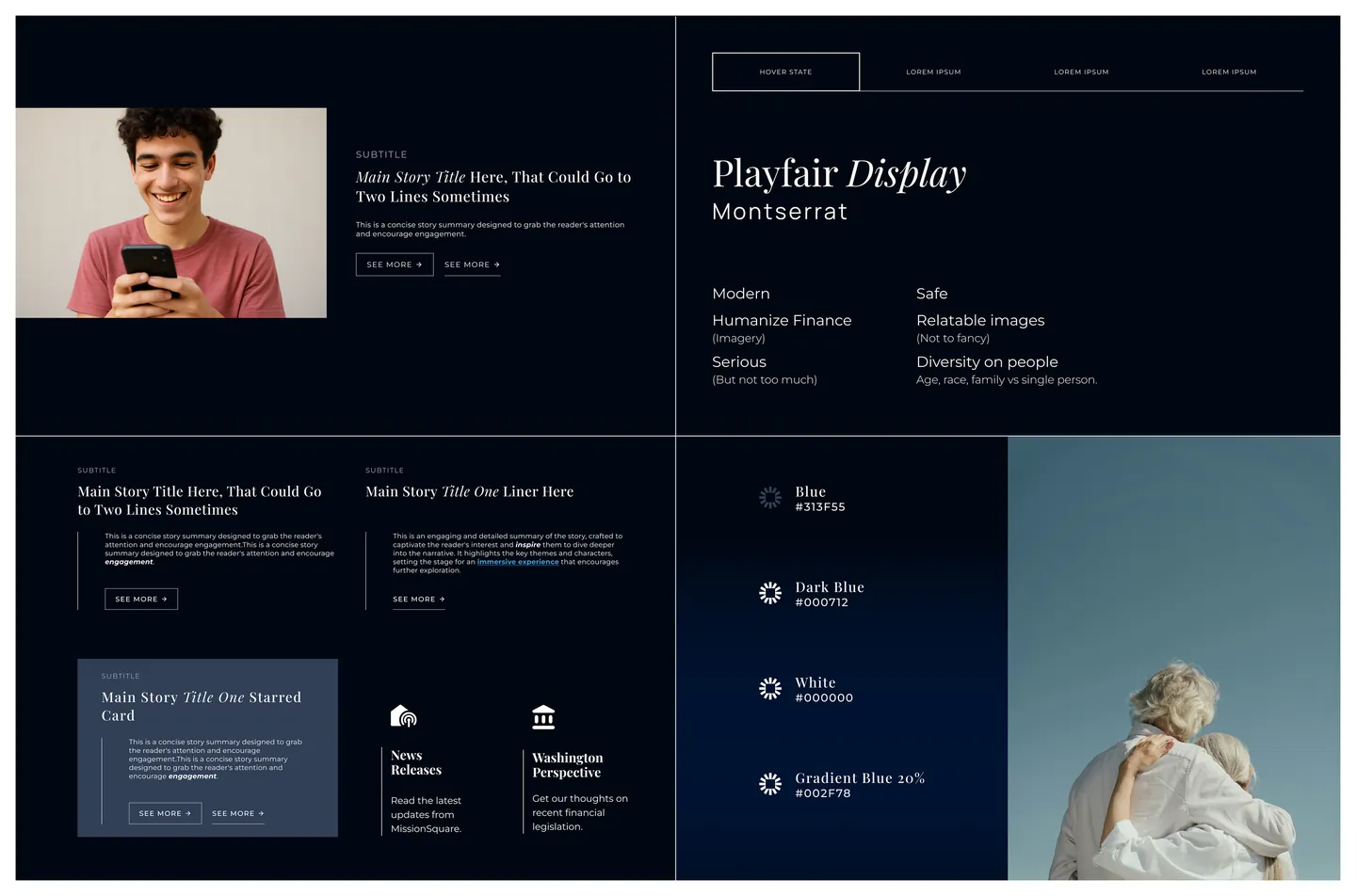
The client chose one of mine, Ascend: an editorial serif with italic words for emphasis, a clean sans, deep navy surfaces, and the brand’s multicolor mark as a focal point instead of decoration. I also proposed the typefaces.
03 Dark, light, or both
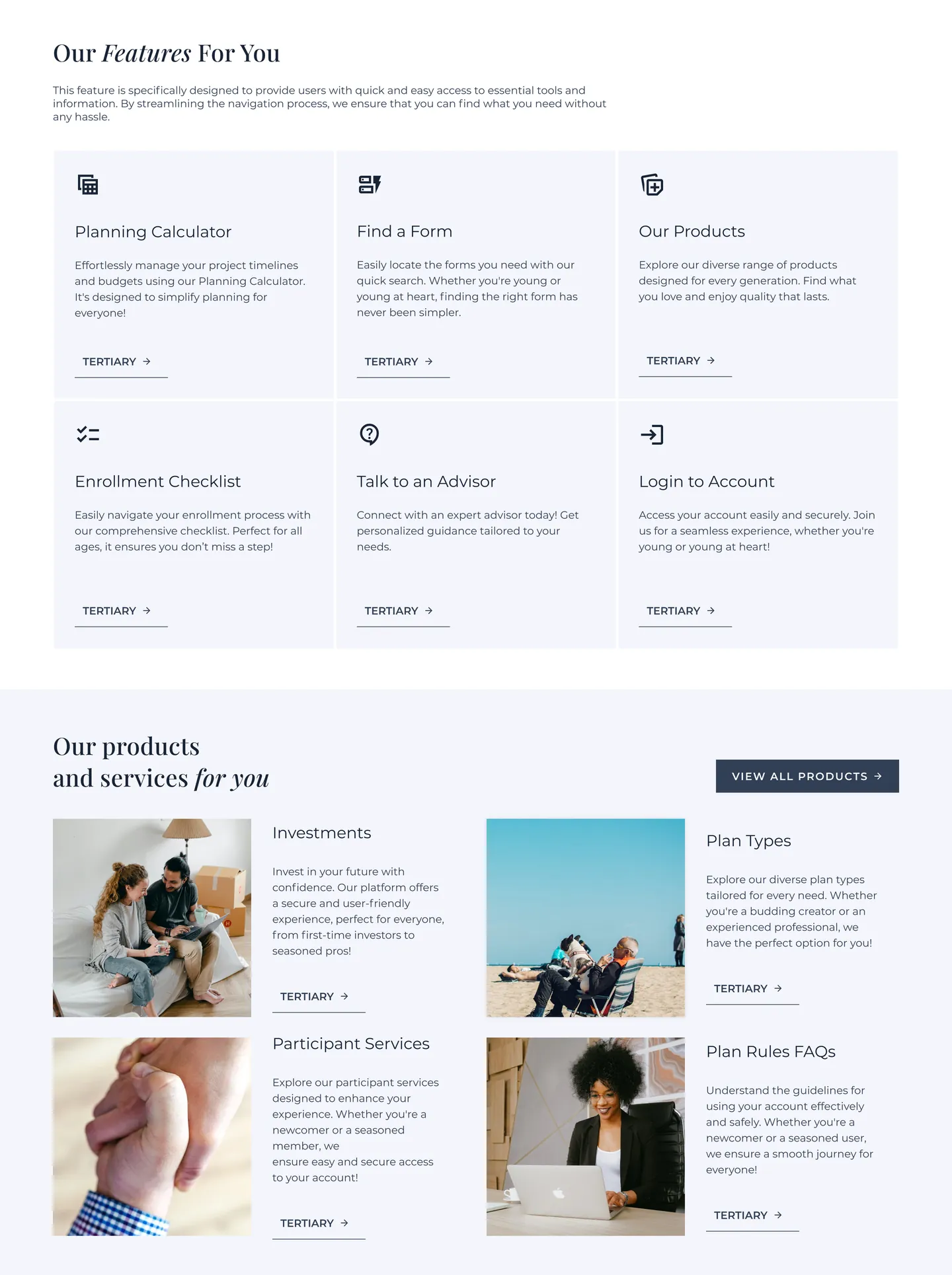
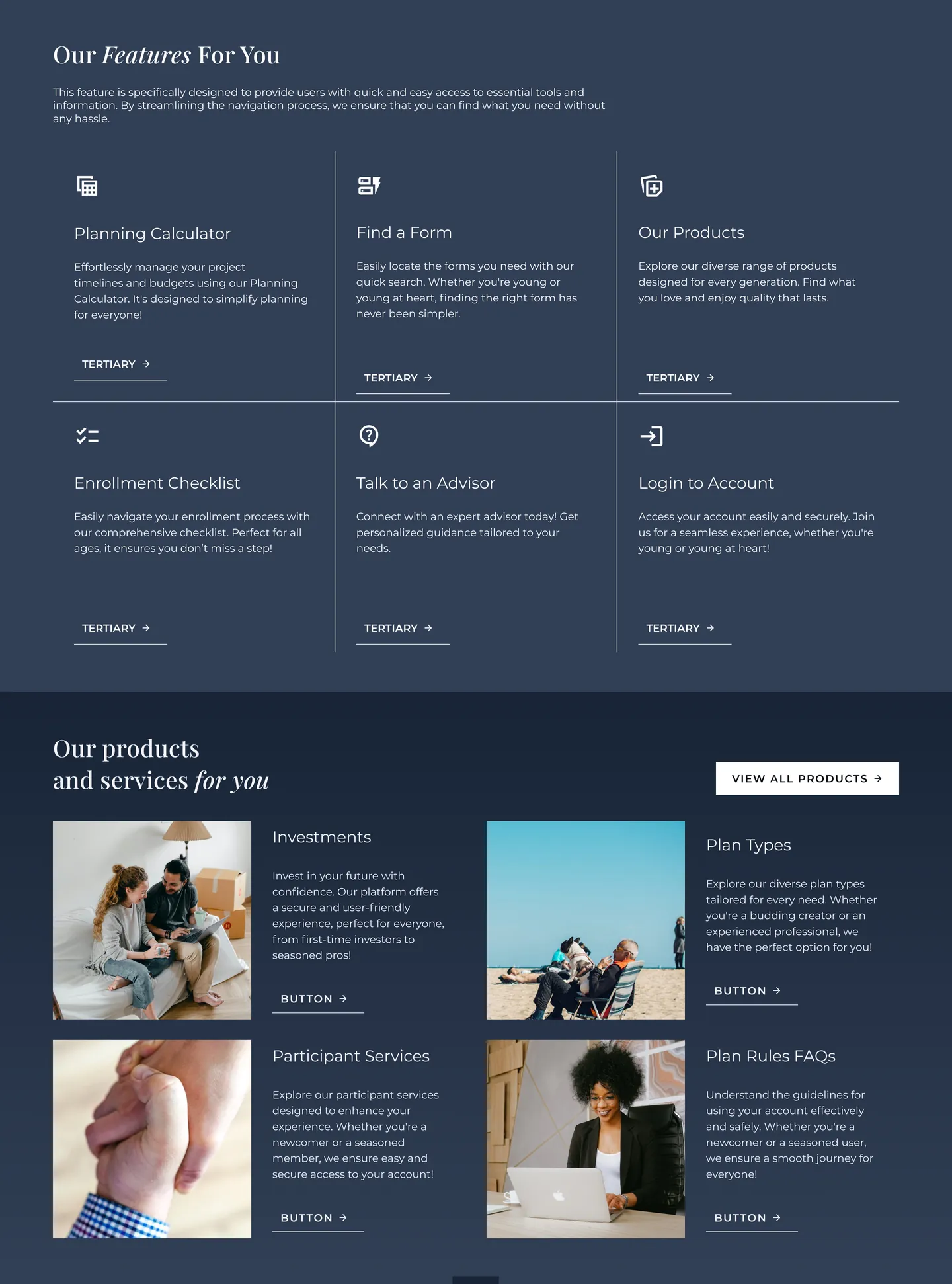
Ascend started all dark. It felt fresh, especially for younger visitors, but long reading in light text on dark backgrounds is harder for many older ones, and this site serves both. All white was how the old site looked.
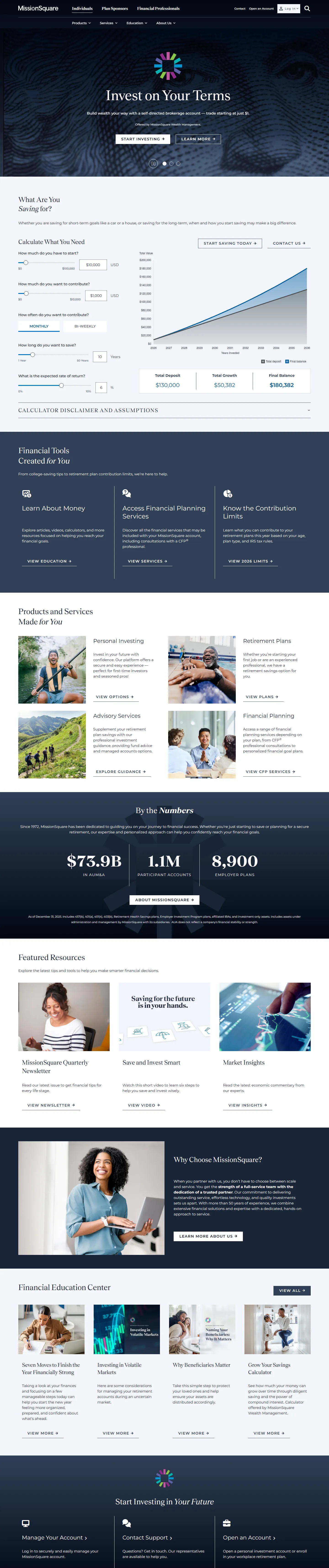
The answer was to alternate light and navy bands: the new energy, with long reading kept on light backgrounds.
04 One navigation, three audiences
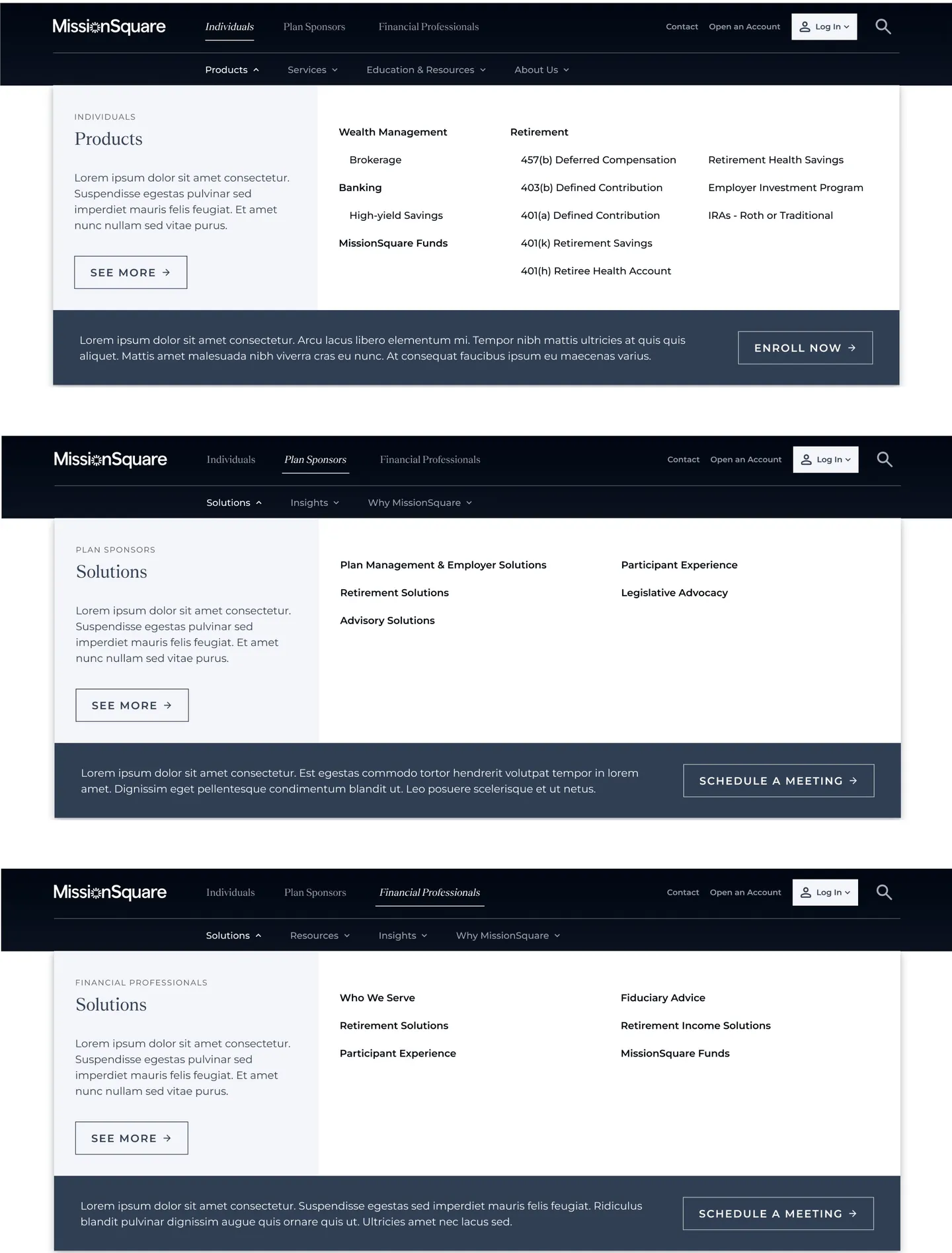
During high-fidelity design, Senior Designer Jena LaPlante joined and built the information architecture and the navigation system. My part was refining its visual design so it matched the rest of the site.
Choosing an audience swaps the whole menu set. Each audience gets its own mega menus and a closing call to action matched to its next step: enroll, schedule a meeting, or log in for consultant access. Search is shared.
05 Components and templates
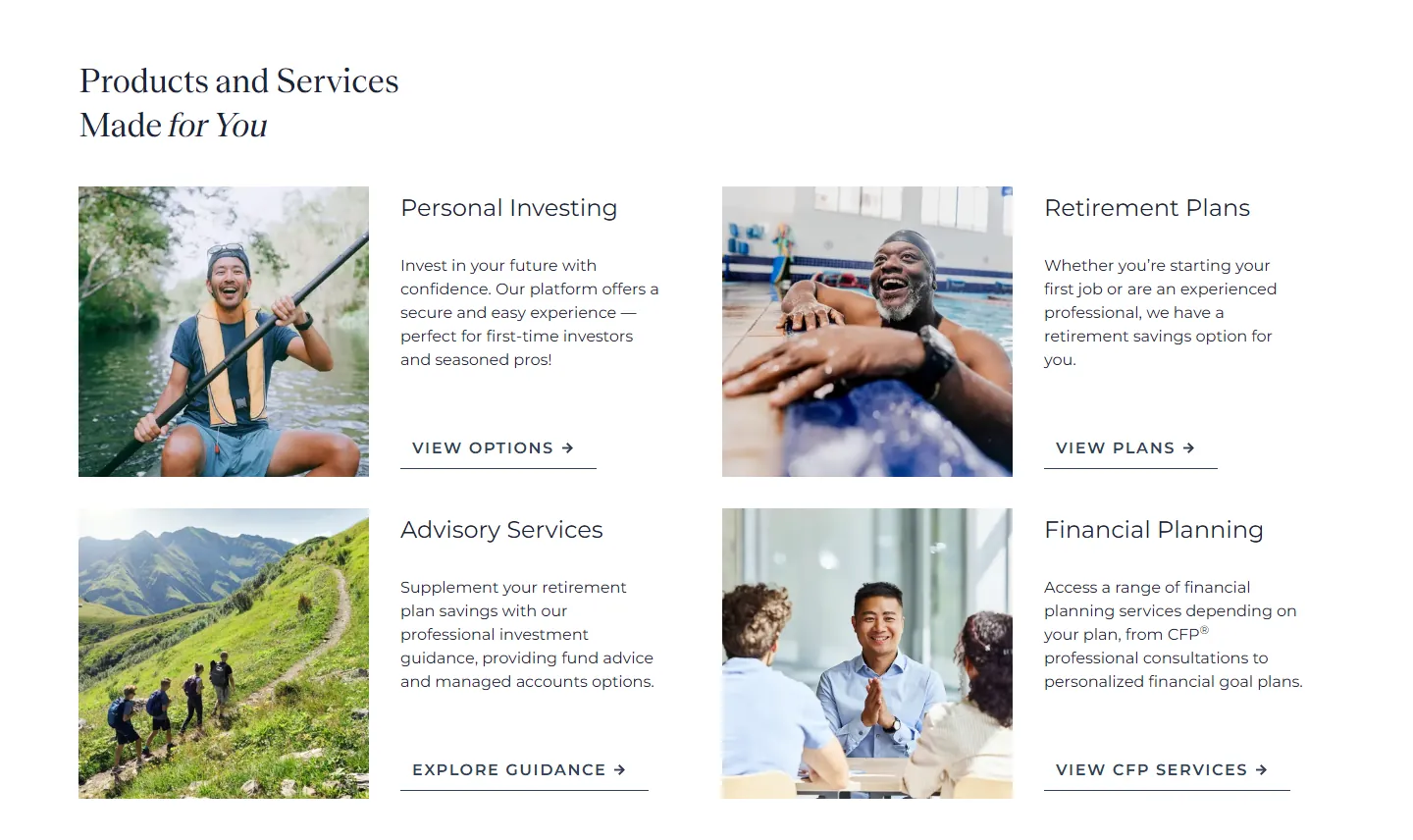
Because the selected direction was mine, I designed most of the components and page templates that followed: homepage, product, calculator, educational content, about, search, and audience and hub landing pages.
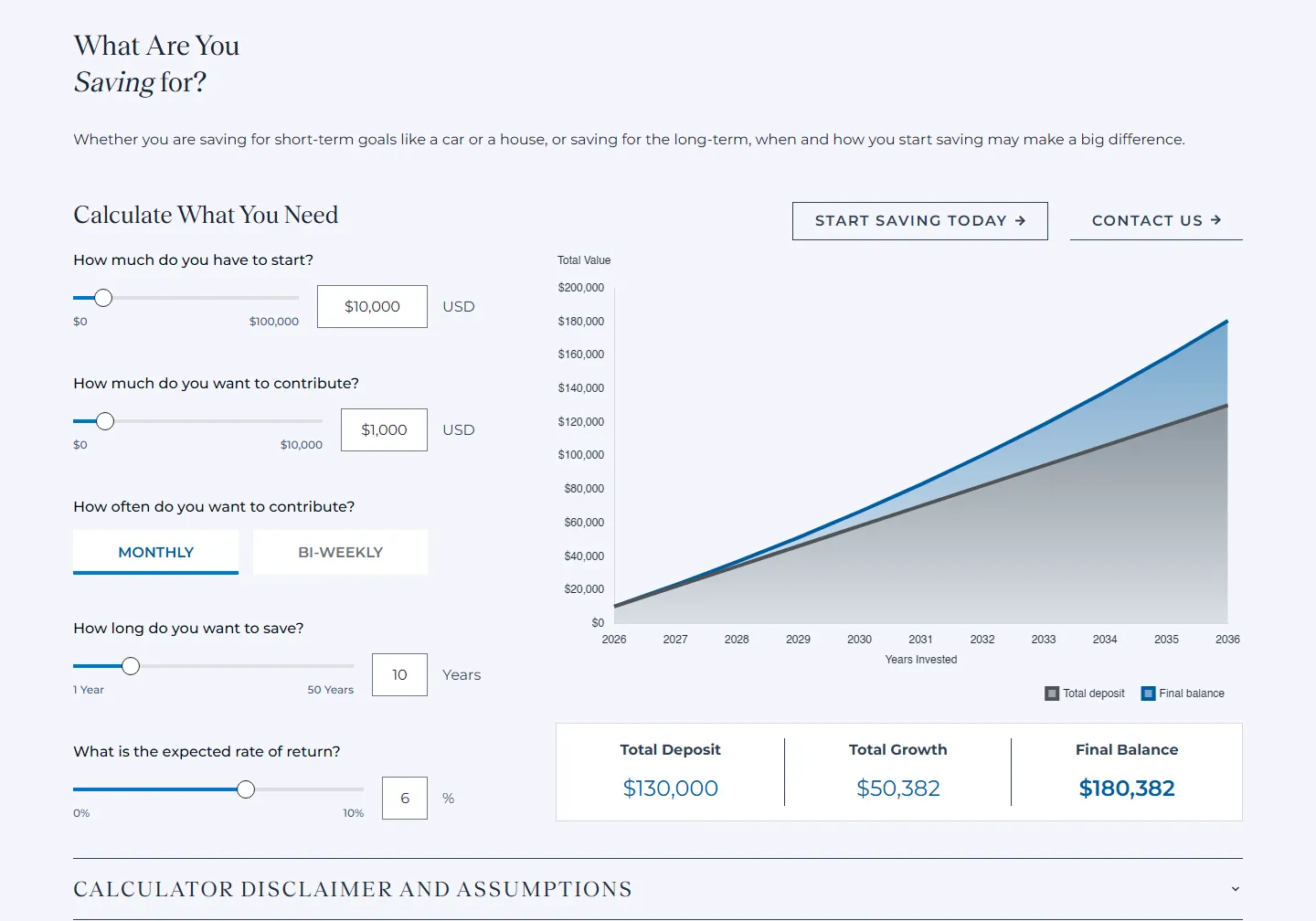
The savings calculator is a good example: a few inputs on the left, a projection on the right, and the three numbers that matter summarized underneath.
06 Handoff and launch
I cleaned and organized the final Figma file for handoff to development. Design took about three months; development and implementation took close to a year. The redesigned site is now live.
Designed at Perficient for MissionSquare with Maat Papp (Design Director) and Jena LaPlante (Senior Designer). All screens shown are public; no account or internal flows are included. MissionSquare is a trademark of its owner.